-
Frontpage
-
Getting Started
- Overview
- How to join
- Contacts & Support
-
Use cases
- Suppliers
- Transport companies
- Receiver of materials
-
How to use
- Vehicles & Drivers
- Waybills
-
Orders
-
Automation
- Volume measurement (Loadmon)
- Weighbridge
- Vehicle access control (VAC)
-
Integrations
- API Reference
-
Frequently asked questions
- FAQ
Waybills
Eeway waybills are fully digitalised. All data is easily accessible and verifiable. In waybills section you can see all of the waybills. Waybills can be in 3 different type of states: Active, Completed and Cancelled. Active means that the delivery is still en route or still waiting to be completed. Completed or Cancelled waybills are essentially finished and not active anymore.
Waybill section:
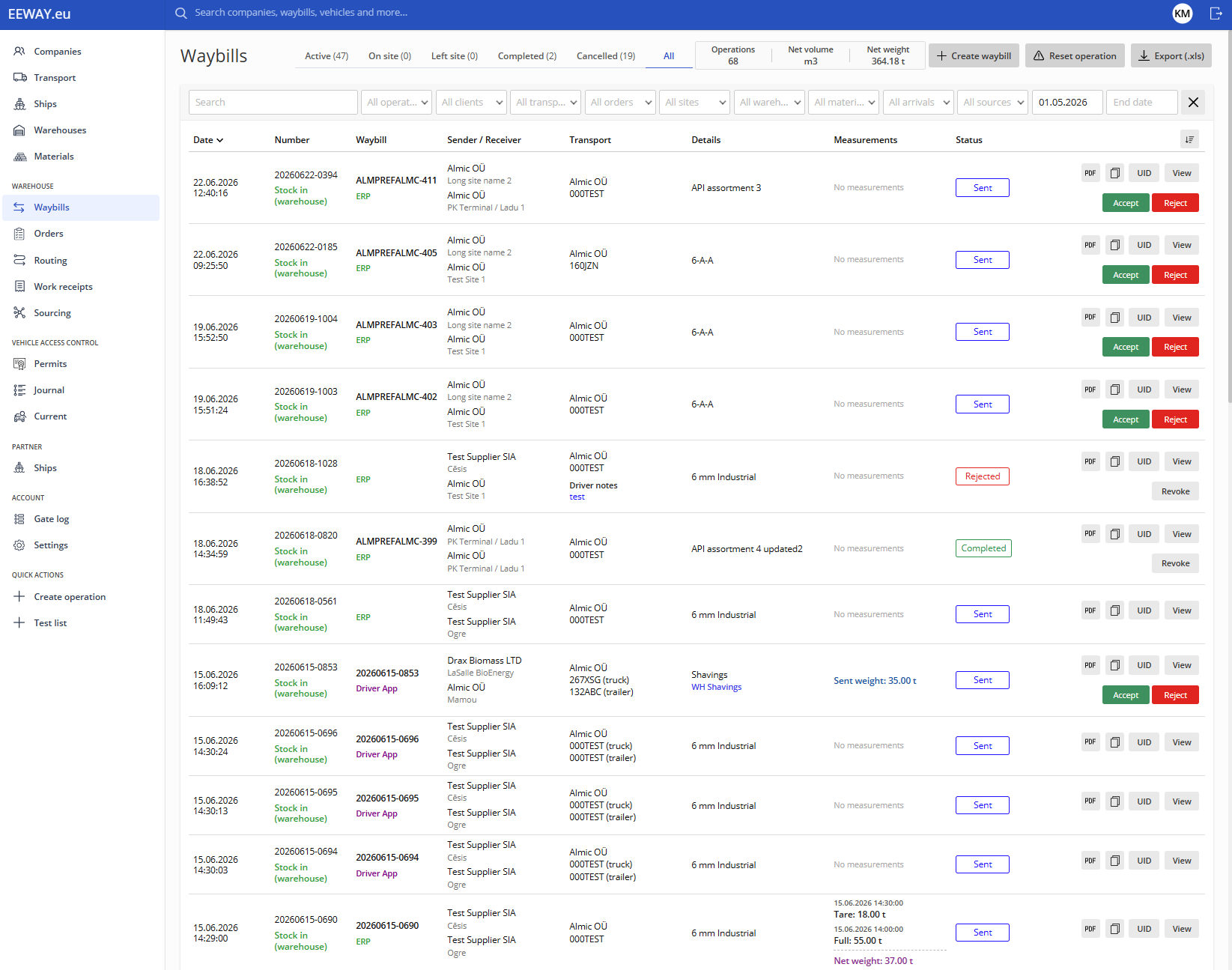
Waybills can be searched by the unique waybill number. In addition, various filters can be used to find the waybills that you are looking for.
To create a new waybill press the Create waybill button on the top right corner.
An example of waybill with weights attached to it:
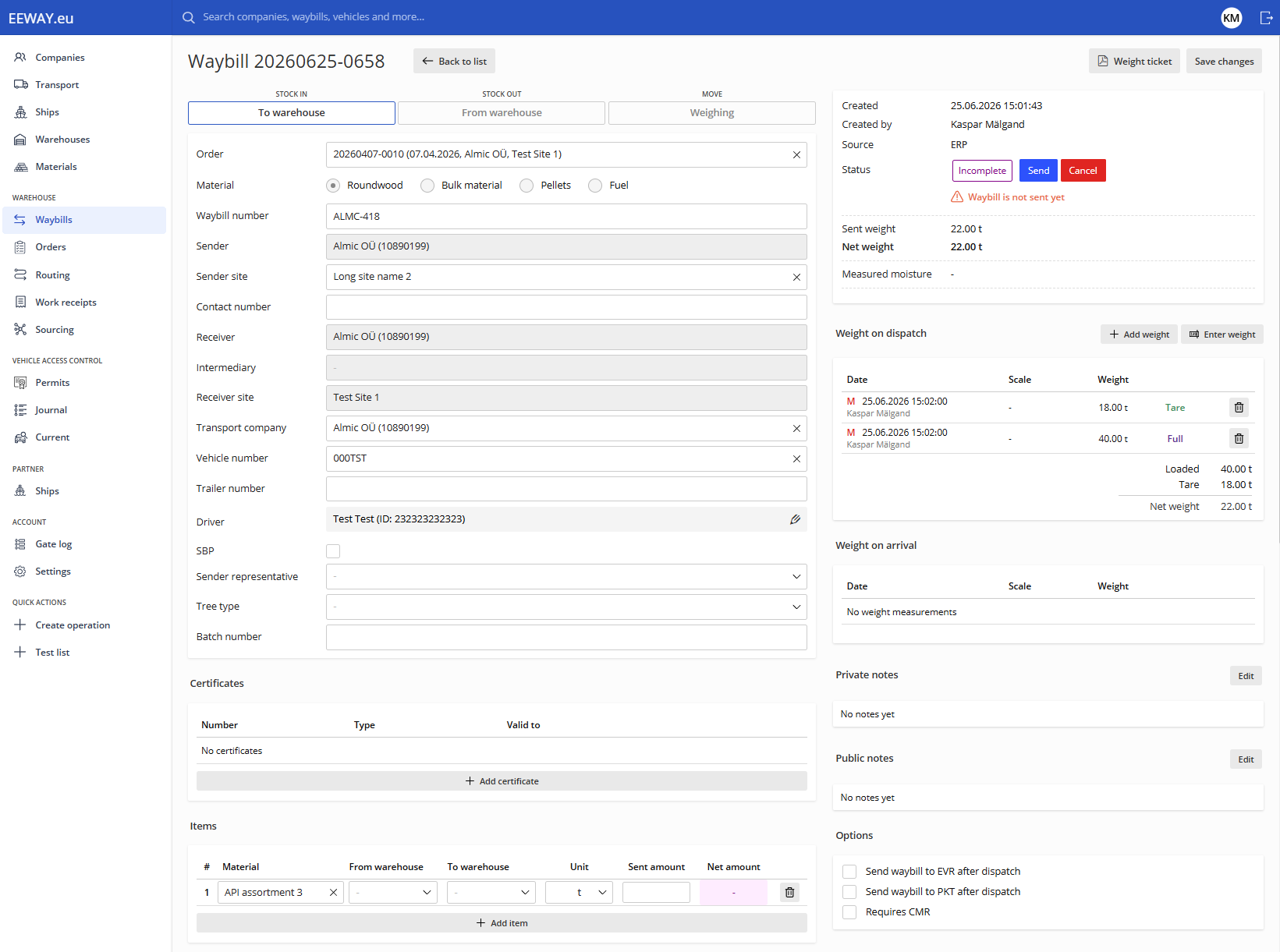
When creating a waybill, all of the mandatory fields have to be entered, otherwise the system won't let you send it and shows what information is missing. Other information is optional and is based on the material receivers needs. For example some might demand Sender representative, Contact number or etc. while others don't.
As soon as the waybill is created it becomes available in the EEWay mobile app with a unique QR code used to start material weighing or measuring process.
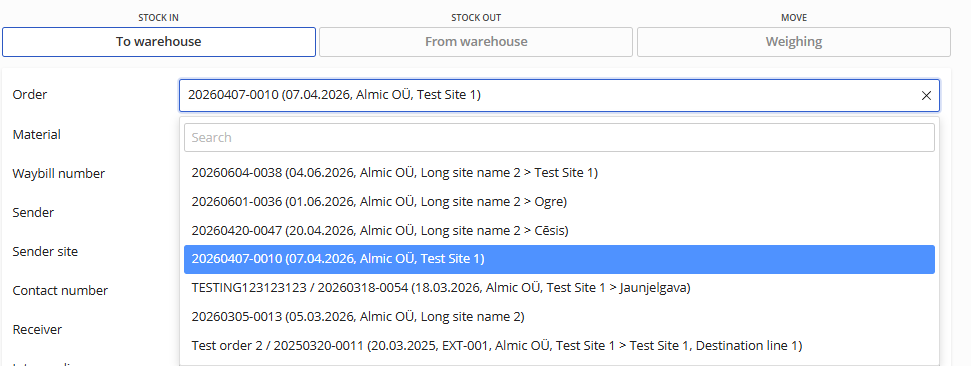
To make life easier for both you and the drivers, we highly recommend using Orders. This let's you enter information once and when creating a waybill you only have to choose the correct order ffrom the selection and information will be automatically added. Simply press on the Order bar and your previously made Orders are all visible.